Refreshing the Screen
Note: You can refresh the screen of any section within the PaperFree application. In the example here, the Documents & Files section is used as reference. The procedure to refresh the screen remains the same for all sections, wherever applicable, within the PaperFree application.
To refresh a screen, follow the steps given below.
1. Navigate to the Documents & Files option in the Side Bar.
The Documents & Files page will be displayed.
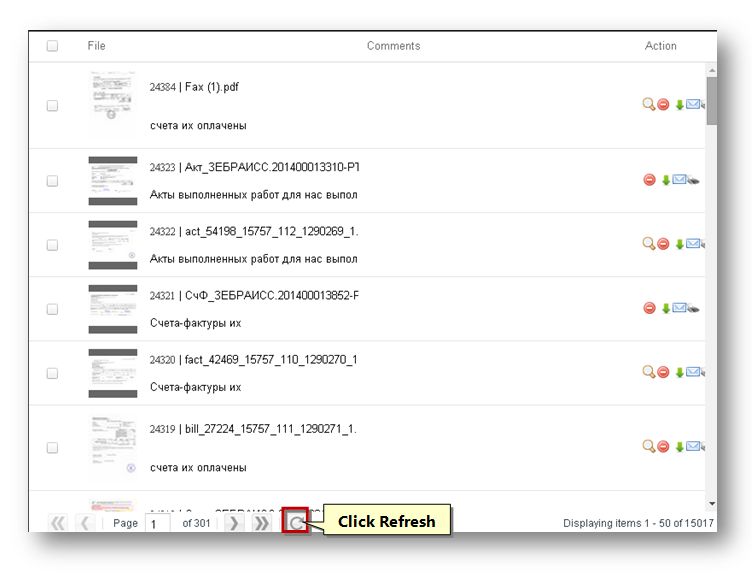
2. To refresh the screen, click the Refresh ( ) button on the screen.
The page will be refreshed and the records will be reloaded.
Sponsored from PaperFree Magazine:
.jpg)
Real Estate Investment Principles by Billionaire Bruce Flatt
Copyright © 2022 PaperFree.com Inc. All rights reserved and data products are owned and distributed by PaperFree.com Inc. and its subsidiaries. | About | Feedback | All Contacts | ID: 979-446-8934 S/N 78675-0 | SID 487999-3 | Version 5.2 Powered by PaperFree.com | Legal